

In Central Texas, summer doesn’t wait for the calendar. When triple-digit heat arrives weeks ahead of schedule, unprepared AC systems fail at alarming rates—leaving Austin families sweltering when they need relief most. Service Wizard explains what early-onset heat means for your cooling equipment and how to make sure your home stays comfortable all summer long.
Why Austin's Summers Start Sooner Than You Think
After 50+ years of keeping Central Texas homes cool, Service Wizard has watched our summers creep earlier and hit harder. The old rule of “turn on the AC in June” no longer applies—many Austin homeowners are running their cooling systems full-time by mid-April.
That means your AC equipment needs to be inspected, cleaned, and ready to perform well before the first heat wave rolls through. Systems that sat dormant through winter are asked to suddenly deliver peak cooling output, and that abrupt transition is where most failures happen. The time to prepare isn’t when you’re already sweating—it’s right now.
What Makes Central Texas Heat So Brutal on AC Systems
Our summer heat creates cooling challenges that most other regions never deal with:
Extended Runtime Demands: AC systems in Central Texas may run 14-18 hours per day during peak summer. That’s thousands of hours of continuous stress on compressors, fan motors, and electrical components every season.
Extreme Temperature Differentials: When it’s 105°F outside and you want 72°F inside, your system must bridge a 33-degree gap—pushing equipment to the edge of its design limits hour after hour.
The Humidity Factor: Central Texas humidity forces your AC to work double duty—removing moisture from indoor air while also lowering the temperature. This taxes the system far more than dry-climate cooling.
Overnight Heat Retention: Urban heat island effects mean nighttime temperatures often stay in the 80s, giving your AC system no chance to rest and recover before the next scorching day.
Austin AC Realities Most Homeowners Overlook
- Oversized Doesn’t Mean Better: An oversized AC short-cycles—cooling quickly but shutting off before removing humidity, leaving your home clammy and uncomfortable
- Refrigerant Isn’t Unlimited: AC systems don’t “use up” refrigerant—if levels are low, there’s a leak that’s quietly destroying efficiency and driving up bills
- Dirty Coils Cost Real Money: A layer of grime on your condenser coils can increase energy consumption by 30% or more while reducing cooling capacity
- Ductwork Losses Are Massive: In a typical Central Texas home, 20-30% of cooled air is lost through leaky or poorly insulated ducts in the attic before it ever reaches your rooms
- Thermostat Location Matters: A thermostat hit by direct sunlight or near a heat-generating appliance gives false readings, causing your system to overwork and waste energy
- Age Compounds Problems: AC efficiency degrades roughly 5% per year without maintenance—a 10-year-old neglected system may be working 50% harder than it should
Signs Your AC Isn't Ready for an Austin Summer
Most cooling failures give advance warning—if you pay attention. These red flags suggest your system may buckle under summer heat:
Performance Warning Signs
- Air from vents feels lukewarm instead of cold
- System runs constantly without reaching set temperature
- Unusual noises—grinding, squealing, or rattling
- Weak airflow from one or more vents
- Musty or foul odors when the AC kicks on
- Unexplained spikes in your electric bill
Equipment and Maintenance Red Flags
- System is 10+ years old with no recent service
- Outdoor unit has visible debris, bent fins, or rust
- Ice forming on refrigerant lines or the evaporator coil
- Condensate drain is clogged or leaking
- Circuit breaker trips when AC starts up
- Thermostat display is unresponsive or inaccurate
Get Your AC Summer-Ready Before the Heat Hits
These proactive steps help your cooling system survive and thrive through a long Central Texas summer.
Schedule a Professional Tune-Up
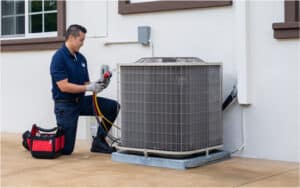
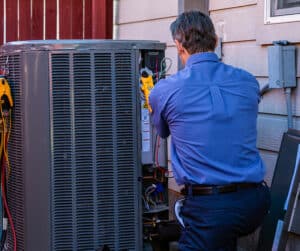
A professional AC tune-up catches worn parts, low refrigerant, and electrical issues before they become mid-summer breakdowns. Spring is the ideal time.
Replace Your Air Filter
A dirty filter chokes airflow, forces your system to overwork, and degrades indoor air quality. Replace it every 30-60 days during heavy summer use.
Clean the Outdoor Unit
Clear leaves, grass clippings, and debris from around your condenser. Maintain at least two feet of clearance on all sides for proper airflow and heat dissipation.
Block Solar Heat Gain
Close blinds and curtains on sun-facing windows during peak afternoon hours. Solar heat gain through glass can add thousands of BTUs your AC must overcome.
Upgrade Your Thermostat
A programmable or smart thermostat prevents wasteful overcooling when you’re away and ensures comfort when you’re home—saving 10-15% on cooling costs.
Clear the Condensate Drain
A clogged drain line causes water backups, triggers safety shutoffs, and can lead to costly water damage. Flush the line with vinegar before summer starts.
AC System Types Common in Central Texas Homes
Different cooling technologies handle our extreme heat with varying effectiveness. Here’s what matters for each:
Central Air Conditioners: The workhorse of Texas cooling. Split systems with an outdoor condenser and indoor evaporator coil provide whole-home cooling. Efficiency is measured in SEER2 ratings—newer units range from 14-25+ SEER2, and every point matters on your electric bill.
Heat Pumps in Cooling Mode: Increasingly popular in Central Texas, heat pumps cool your home just as effectively as traditional AC while offering heating capability in winter. Modern variable-speed models excel at humidity control—a major advantage in our climate.
Ductless Mini-Splits: Ideal for additions, converted garages, or rooms that traditional ductwork can’t reach. Each zone has independent temperature control, eliminating the hot-and-cold-room problem. Highly efficient since there’s zero duct loss.
Dual-Stage and Variable-Speed Systems: Instead of blasting at full power or shutting off entirely, these systems modulate output to match demand. They run longer at lower capacity, providing superior humidity control and more consistent temperatures—a significant advantage during Austin’s muggy summers.
System Performance Evaluation
- Complete AC system inspection and diagnostics
- Refrigerant level check and leak detection
- Compressor amp draw and performance testing
- Evaporator and condenser coil inspection
- Electrical connection tightening and testing
- Capacitor and contactor evaluation
- Blower motor speed and airflow measurement
- Thermostat calibration and programming check
Whole-Home Comfort Analysis
- Room-by-room temperature mapping
- Ductwork inspection for leaks and damage
- Condensate drain line flush and inspection
- Air filter assessment and replacement
- Indoor humidity level evaluation
- Equipment sizing verification for your home
- Insulation and air sealing assessment
- Energy efficiency recommendations
What's at Stake When Your AC Fails in a Texas Summer
Heat-Related Health Risks
Indoor temperatures can climb dangerously fast without AC. Heat exhaustion and heatstroke are real threats—especially for children, elderly family members, and those with chronic health conditions.
Humidity and Mold Damage
Without dehumidification from your AC, indoor humidity soars. Within days, mold can establish in walls, closets, and ductwork—creating health hazards and costly remediation needs.
Pet Safety
Pets left in homes without cooling are vulnerable to heatstroke. Dogs, cats, and especially small animals like rabbits and birds can suffer fatal heat exposure faster than most owners realize.
Electronics and Belongings
Excessive heat and humidity damage electronics, musical instruments, artwork, and wooden furniture. Warping, corrosion, and condensation damage add up quickly in an uncooled home.
Multi-Day Wait Times
When a heat wave hits, every HVAC company’s phone rings off the hook. Emergency repair wait times can stretch to 3-5 days or longer. Proactive maintenance keeps you out of the queue.
Costly Emergency Repairs
Emergency service calls during peak demand cost significantly more than planned maintenance. A $150 tune-up can prevent a $2,000+ compressor replacement—a return on investment you can feel.
Summer's Coming Fast—Is Your AC Up to It?
Austin heat doesn’t ease in gradually. If your AC hasn’t been professionally serviced this year, you’re rolling the dice on your family’s comfort—and potentially your safety.
- Systems dormant through winter develop hidden problems
- Worn capacitors, contactors, and fan motors fail under sustained heat loads
- Low refrigerant slowly destroys your compressor—the most expensive component
- Clogged condensate drains cause water damage and system shutdowns
- By the time you feel the problem, repair schedules are booked solid
A professional tune-up now means reliable cooling all summer long.
Frequently Asked Questions
How often should I have my AC system serviced?
Annual professional maintenance is essential—ideally in early spring before temperatures climb. During the service visit, a technician inspects electrical components, checks refrigerant levels, cleans coils, tests safety controls, and identifies worn parts before they fail. Think of it like an oil change for your car: skipping it won’t cause an immediate breakdown, but it dramatically increases the odds of an expensive failure down the road.
What temperature should I set my thermostat in summer?
The Department of Energy recommends 78°F when you’re home and awake for the best balance of comfort and efficiency. Setting it 5-7 degrees higher when you’re away saves significant energy without making the system work too hard to recover. Avoid setting the thermostat below 72°F—it won’t cool your home faster and forces the system to run longer than necessary, increasing wear and energy costs.
Why is my AC running but not cooling properly?
Several common issues can cause this: a dirty air filter restricting airflow, low refrigerant from a leak, frozen evaporator coils, a failing compressor, or a malfunctioning thermostat. Dirty condenser coils on the outdoor unit are another frequent culprit—they prevent heat from dissipating efficiently. Start by checking your filter and clearing debris from the outdoor unit. If the problem persists, call for professional diagnosis—running a struggling system risks compounding the damage.
How long should my AC system last?
Most central AC systems last 15-20 years with regular maintenance. However, Central Texas conditions are harder on equipment than average—our long cooling season means more runtime hours per year. Systems without annual maintenance may only last 10-12 years. If your unit is approaching 15 years, it’s wise to start planning for replacement rather than facing an emergency decision during a heat wave.
Is it worth upgrading to a higher-efficiency AC system?
In Central Texas, absolutely. Because your AC runs so many hours per year, even a modest efficiency improvement translates to meaningful savings. Upgrading from a 10 SEER system to a 16 SEER system can reduce cooling costs by 35-40%. Higher-efficiency systems also typically offer variable-speed operation, better humidity control, and quieter performance. The payback period in our climate is often shorter than in more moderate regions.
What areas does Service Wizard serve?
Service Wizard proudly serves all of Central Texas including Austin, Round Rock, Hutto, Pflugerville, Cedar Park, Leander, Georgetown, Buda, Kyle, Dripping Springs, Lakeway, Bee Cave, West Lake Hills, and surrounding communities. We provide comprehensive AC and cooling services throughout the region.
Beat the Heat Before It Beats Your AC
Summer’s knocking early this year—and your AC needs to answer. Schedule your comprehensive cooling assessment now, while appointments are still available and before the heat reveals problems you could have prevented.
Serving Central Texas families with “A Magical Touch” since 1968


 Your Privacy Choices